Essential Git

I got most knowledge about git from here.
Files in Working Directory
According to this.
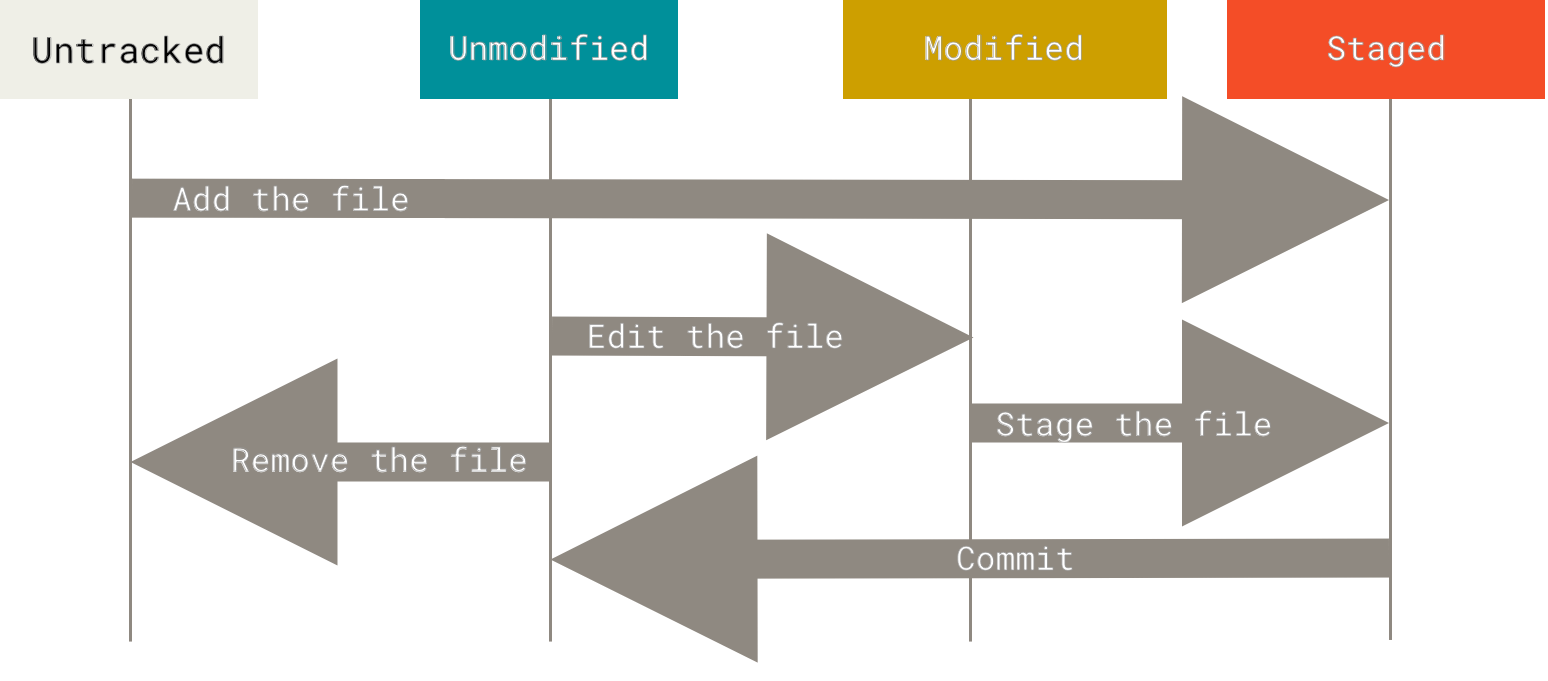
Remember that each file in your working directory can be in one of two states: tracked or untracked. Tracked files are files that were in the last snapshot, as well as any newly staged files; they can be unmodified, modified, or staged. In short, tracked files are files that Git knows about.
Untracked files are everything else — any files in your working directory that were not in your last snapshot and are not in your staging area. When you first clone a repository, all of your files will be tracked and unmodified because Git just checked them out and you haven’t edited anything.
As you edit files, Git sees them as modified, because you’ve changed them since your last commit. As you work, you selectively stage these modified files and then commit all those staged changes, and the cycle repeats.
Difference Between HEAD, Working Tree And Index
All we need is written here.
Git manipulates three trees in its normal operation:
- HEAD: Last commit snapshot, next parent
- Index: Proposed next commit snapshot
- Working Directory: Sandbox